Welcome to the i-BRUSH® support page for our customers who already have a system. Fill in our form below to get personal support from our team.
Looking for a new i-BRUSH solution? Please contact our sales team.
Support is available for:
Required information:
"*" indicates required fields
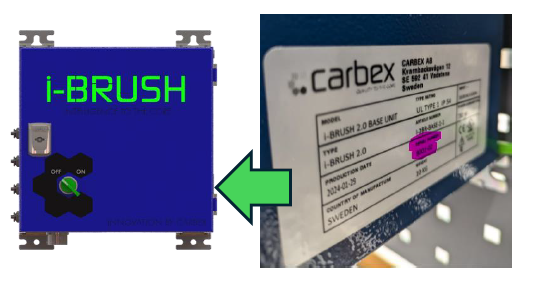
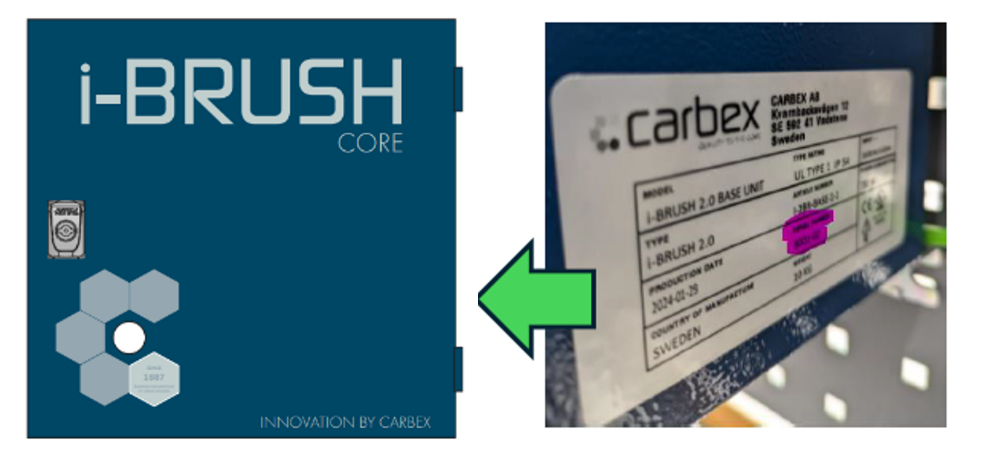
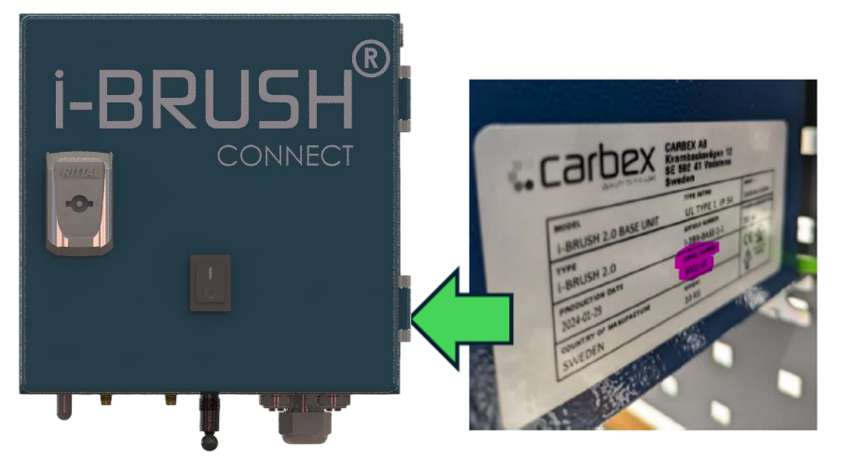
Select your i-BRUSH® model below to see where the serial number label is located.
Serial number on i-BRUSH® 2.0 can be found in the HMI-panel or on the i-BRUSH® base unit.
For i-BRUSH® 2.0, the serial number consists of 6 digits (XXXX-XX).
Serial number on i-BRUSH® Core can be found on the i-BRUSH® base unit.
For i-BRUSH® Core, the serial number consists of 6 digits (XXXX-XX).
Serial number on i-BRUSH® Connect can be found on the i-BRUSH® base unit.
For i-BRUSH® Connect, the serial number consists of either 6 digits (XXXX-XX) or 4 digits followed by the designation DIN11 (XXXX-DIN11).
Partner login
Get the latest news and updates delivered straight to your inbox.
Check your inbox or spam folder to confirm your subscription.